
Grammarly Plagiarism Checker is convenient, especially for bloggers and students. But how does it really perform, and can it compete with a professional service like PlagiarismSearch? This article offers a detailed review, step-by-step instructions, and a comparison of the top plagiarism checking tools.
General User Impressions
Users appreciate Grammarly Plagiarism Checker for its speed and seamless integration with the Grammarly Editor. There’s no need to switch platforms or upload documents elsewhere, making it ideal for bloggers, content creators, and students working on short assignments.
The interface is intuitive, with a clear “Plagiarism” button and instant scan results. Matches are highlighted directly in the text with source links, which simplifies citation, rewriting, or ignoring passages. Many users describe the experience as “fast and user-friendly,” taking just seconds for a quick check.
However, Grammarly has limitations: it primarily scans publicly available web pages and does not cover many academic journals. Paraphrased content and self-plagiarism are not detected, which can give a false sense of security for academic writing. While excellent for casual checks, it isn’t reliable for serious academic or professional work.
From experience, Grammarly works perfectly for an initial scan, but for comprehensive academic checks, specialized tools like PlagiarismSearch provide more thorough coverage and help maintain integrity.
Step-by-Step Guide to Using Grammarly Plagiarism Checker
Here’s how to use Grammarly’s plagiarism checker effectively:
- Create a Grammarly Premium account. If your institution provides one, use it; otherwise, you can subscribe individually.
- Go to Grammarly.com and click “Create” to open the Grammarly Editor.
- Add your text by pasting it or uploading a document. For long PDFs, use the AI PDF Summarizer to condense key points first.
- Click “Check for AI and Plagiarism” at the top-right to start the scan.
- Review the results in the right-hand panel, where matches are highlighted, and sources are listed with direct links.
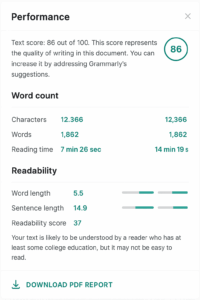
- Download a PDF report if needed for record-keeping or submission.
Grammarly Plagiarism Checker Pricing
Grammarly Plagiarism Checker is part of Grammarly Premium. As of August 2025, pricing is approximately:
- Monthly: $30/month
- Quarterly: ~$60 for 3 months (~$20/month)
- Annual: ~$144/year (~$12/month)
The checker is not available separately, so a Premium subscription is required.
Plagiarism Report Overview
When the check is complete, Grammarly shows:
- Percentage of text matching external sources.
- A list of matched sources with direct links.
- Text highlighted in the editor for easy review.
- Optional AI content detection notes.
- Downloadable PDF report of the results.
Student and Blogger Insights
Many users on Reddit and forums highlight Grammarly’s speed and convenience for blog posts and short assignments. Bloggers enjoy quick web content checks without leaving the editor. However, lightly paraphrased content or complex academic texts may sometimes go undetected. Grammarly is best for preliminary scans rather than final submissions.
For more thorough analysis, students and academics often recommend PlagiarismSearch or Scribbr. PlagiarismSearch offers extensive academic coverage, paraphrase detection, and self-plagiarism alerts. Scribbr is particularly popular for university assignments, providing detailed reports, similarity percentages, and suggestions, although it requires more manual uploads.
Side-by-Side Comparison: Grammarly, PlagiarismSearch, and Scribbr
| Feature | Grammarly | PlagiarismSearch | Scribbr |
|---|---|---|---|
| Database Coverage | Web sources only | Extensive academic journals + web sources | Academic journals + student papers + web sources |
| Paraphrase Detection | Low – may miss reworded content | High – detects subtle paraphrasing | Medium – can detect some reworded text |
| Self-Plagiarism | No | Yes | Yes, for previously submitted papers |
| Report Detail | Basic – highlights matches | Detailed – includes context, percentages, matched sources | Detailed – shows sources, similarity percentage, suggestions |
| Best Use Case | Quick blog or web content checks | Academic papers, theses, professional reports | University assignments, essays, research papers |
| User Feedback | Fast, convenient, but misses complex plagiarism | Reliable, thorough, ideal for serious academic work | Trusted for academic papers, slightly slower, intuitive interface |
Practical Recommendations
To get the best results:
- ✅ Use Grammarly for quick blog checks, short essays, or everyday web content.
- ❌ Avoid relying solely on Grammarly for theses, dissertations, research papers, or professional publications.
- 💡 Combine tools strategically: start with Grammarly for a first-pass scan, then use PlagiarismSearch or Scribbr for in-depth verification.
Final Thoughts
Grammarly excels at fast, casual checks within its editor. For serious academic or professional work, PlagiarismSearch provides more reliable coverage, advanced paraphrase detection, and detailed reporting. Scribbr offers a middle ground for university-level assignments.
In practice, a workflow using Grammarly for quick scans and PlagiarismSearch for final checks ensures efficiency, accuracy, and academic integrity.
Academic Misconduct Policies: How Different Universities Define Plagiarism
Policy snapshot: July 2026. University-wide rules may be supplemented by faculty, department, course, and assessment instructions. Universities broadly agree that students must not present another person’s work or ideas as their own. Yet their academic misconduct policies do not use identical definitions. They differ in how they treat intention, previous work, collaboration, artificial intelligence, non-text […]
The Role of Teachers in Preventing Plagiarism Before It Happens
Plagiarism prevention begins long before a student submits a final paper. By the time copied or poorly attributed material appears in a completed assignment, the student may already have struggled with research, note-taking, paraphrasing, time management, or unclear instructions. Some students plagiarize intentionally. Others do it because they do not understand where their own wording […]
AI Note-Taking Apps 2025: Otter, Notta, Fireflies & Others Compared
AI note-taking apps became much more than transcription tools in 2025. The leading platforms could record meetings, identify speakers, generate summaries, extract action items, answer questions about past conversations, and send information into workplace systems. However, the apps did not offer the same experience. Some joined meetings as visible bots. Others captured audio directly from […]